EDLA Certified vs. Non-EDLA Interactive Flat Panels: Which Fits Your Enterprise or School?
Nov 18, 2026
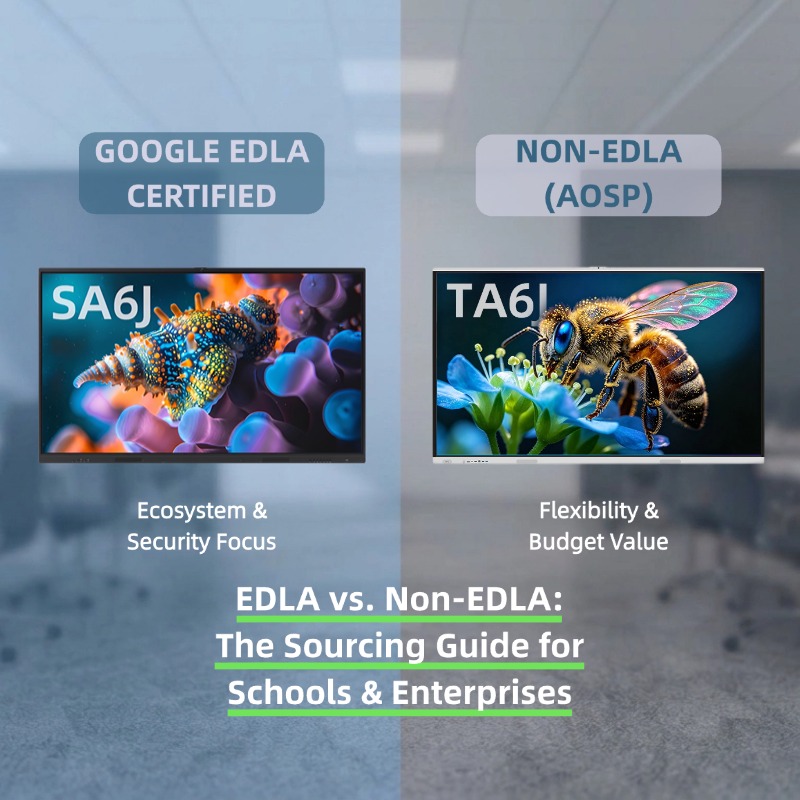
Choose Google EDLA-certified interactive flat panels (IFPs)—such as the PRIMA SA6J Series powered by the Rockchip RK3576—if your school or enterprise relies heavily on Google Workspace, Microsoft 365, Google Play apps, and strict IT security protocols (like Google Play Protect). Opt for Non-EDLA Android-based IFPs—such as the PRIMA TA Series running Android 16—if you prioritize budget efficiency, operate in closed/offline networks, or rely primarily on local Windows OPS modules and standalone teaching software without needing native Google Mobile Services (GMS).
What Is Google EDLA Certification?
Google EDLA (Enterprise Devices Licensing Agreement) is an official Google certification program designed specifically for enterprise and educational hardware, including interactive flat panels. Unlike standard open-source Android (AOSP) displays, an EDLA-certified panel is authorized by Google to natively integrate Google Mobile Services (GMS).
For IT administrators and procurement directors, EDLA certification guarantees:
Native Google Play Store Access: Direct, secure installation of Google Classroom, Google Docs, Drive, Meet, and Microsoft 365 apps without risky APK sideloading.
Enterprise-Grade Security: Built-in Google Play Protect, regular Android security patches, and seamless integration with Mobile Device Management (MDM) frameworks.
Zero-Friction Collaboration: Instant single sign-on (SSO) for teachers and corporate presenters using existing Google or Microsoft accounts.
EDLA vs. Non-EDLA Interactive Flat Panels: Key Differences
When sourcing commercial displays for a school district or corporate campus, understanding the architectural differences between EDLA and Non-EDLA models prevents costly over-provisioning or compatibility bottlenecks.
Evaluation Criteria
Google EDLA-Certified IFP (e.g., PRIMA SA6J Series)
Non-EDLA Android IFP (e.g., PRIMA TA Series)
Operating System & Chipset
Official Google-licensed Android with GMS (Powered by Rockchip RK3576)
Latest AOSP Android (Android 16)
App Ecosystem
Native Google Play Store & Google Workspace
Built-in app store, APK support, or Windows OPS slot
Security & Updates
Google Play Protect + Official OTA security patches
Vendor-managed firmware & local network isolation
Primary Deployment Scenario
Google/Microsoft cloud-first schools & multinational enterprises
Budget-conscious tenders, local-network schools, & OPS-driven rooms
Total Cost of Ownership (TCO)
Higher upfront hardware licensing cost
Lower upfront CAPEX with zero licensing overhead
When to Choose an EDLA-Certified Interactive Flat Panel
An EDLA-certified model is the optimal investment when your organization’s daily workflow is anchored in cloud ecosystems:
Google Workspace & Microsoft 365 Environments: Teachers and employees can log directly into their cloud drives on the panel, annotate live documents, and save files back to the cloud in one click.
Strict IT Compliance & Cybersecurity: Public school districts and corporate IT departments often prohibit unverified third-party APK installations. EDLA ensures all applications are vetted via Google Play Protect.
High-Performance Cloud & AI Workflows: Models like the PRIMA SA6J Series combine official Google EDLA certification with the Rockchip RK3576 processor, delivering smooth multitasking, rapid 4K UI rendering, and seamless compatibility with cloud-based collaboration suites right out of the box.
When a Non-EDLA Panel Is the Smarter Choice
Not every classroom or meeting room requires native Google services. For many global tenders and regional deployments, a modern Non-EDLA display delivers superior ROI:
Dedicated Windows OPS Usage: If your instructors or corporate teams exclusively run Windows via a plug-in OPS PC module, paying extra for Android-side Google licensing is unnecessary.
Local Client Software & Built-In AI Ecosystems: Schools using dedicated local whiteboard clients—such as UBoardMate CC installed directly on the panel—alongside built-in intelligent platforms like AI Hub gain full interactive and AI-assisted teaching functionality without relying on cloud app stores.
Up-to-Date Core Performance at Lower CAPEX: Modern Non-EDLA lines like the PRIMA TA Series run on Android 16, offering snappy UI responsiveness, ultra-precise touch writing, and commercial-grade durability while keeping large-scale tender budgets on target.
Sourcing Checklist for IT Directors & System Integrators
Before finalizing your Bill of Materials (BOM) for your next interactive display rollout, verify these four checkpoints with your commercial display manufacturer:
Cloud Dependency Audit: Do end-users need native Google Drive/Play Store access directly on the Android layer, or will they use BYOD laptops and OPS modules?
OS Longevity: Does the panel ship with a modern OS architecture (e.g., Android 16 or EDLA-licensed Android) capable of supporting multi-year software lifecycles?
Local vs. Cloud Tools: Are core teaching tools (like built-in AI question generators or local annotation suites) functional offline?
Centralized Device Management: Can your IT team remotely monitor, update, and manage multi-location screens via a Centralized Management System (CMS)?
Frequently Asked Questions (FAQ)
What is the main difference between EDLA and standard Android interactive flat panels?
The main difference is official Google licensing. EDLA-certified interactive flat panels include native Google Mobile Services (GMS), giving users official access to the Google Play Store, Google Workspace apps, and Google Play Protect security. Standard Non-EDLA panels run on open-source Android (AOSP) without built-in Google apps, relying instead on local software, APKs, or Windows OPS modules.
Which PRIMA interactive flat panel models feature Google EDLA certification?
The PRIMA SA6J Series is officially Google EDLA-certified and powered by the Rockchip RK3576 chipset, offering native access to the Google Play Store, Google Workspace, and Google Play Protect. For organizations that do not require Google Mobile Services, PRIMA also offers the TA Series running on Android 16 as a cost-effective Non-EDLA alternative.
Can I still use Microsoft Teams or Zoom on a Non-EDLA interactive display?
Yes. Even on a Non-EDLA panel, you can run Microsoft Teams, Zoom, or Webex by connecting a laptop via HDMI/USB-C, using a plug-in Windows OPS PC module, or installing compatible standalone meeting applications.
Which is better for K-12 schools: EDLA or Non-EDLA?
If a school district uses Chromebooks and Google Classroom across all grades, an EDLA-certified IFP (such as the PRIMA SA6J Series) provides the smoothest workflow. However, if the school relies on local teaching software (such as UBoardMate CC) and built-in tools like AI Hub, offline lesson delivery, or Windows-based classroom PCs, a Non-EDLA panel (such as the PRIMA TA Series) offers significantly better budget efficiency.
Read More
 Web






 IPv6 network supported